

Lead Capture + Instant Reply Automation
This workflow captures new leads from a website form, saves them to Google Sheets, and sends a personalised email reply generated by AI. It then updates the lead status so nothing slips through.
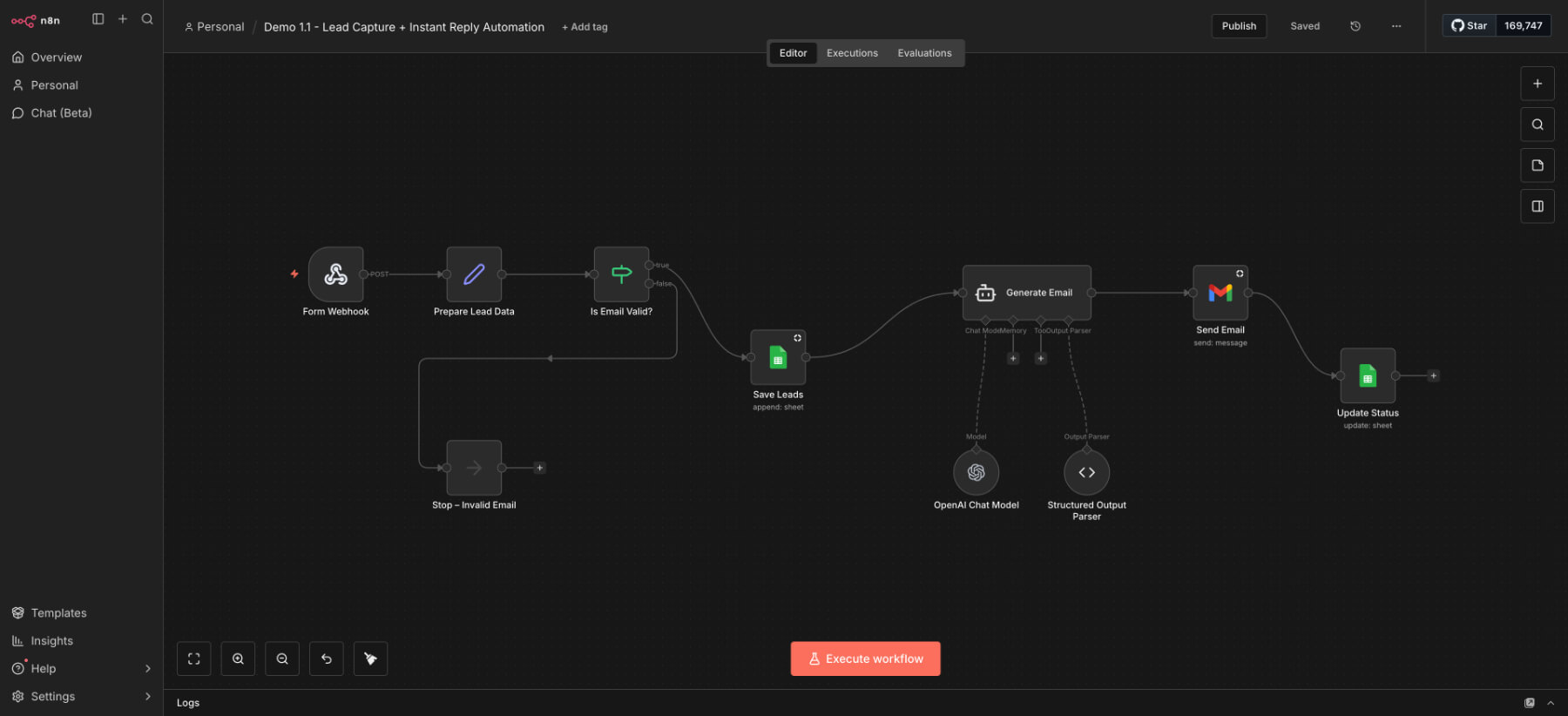
Intro
Following up with leads quickly is one of the biggest factors in turning enquiries into booked calls. This automation was built to remove delays, reduce admin, and make sure every website lead receives a fast, personalised reply, while keeping lead tracking simple and organised.
Results
The Problem
Many service-based businesses still handle leads manually, which usually means enquiries sit in an inbox for hours or even days before anyone responds. When follow-up finally happens, it can feel rushed or inconsistent, and sometimes it does not happen at all. Lead details can also end up scattered across different tools, making it hard to keep track of who has been contacted and what stage they are at. The result is missed opportunities, slower conversions, and a messy system that is difficult to manage as enquiries grow.
My Role
Avis Williams – AI Workflow Designer
Tech Stack
Who Is this for
How it works
This Lead Capture + Instant Reply Automation workflow automatically collects lead details, sends an AI-written email response, and updates the lead record with a clear status. It’s designed to help businesses respond faster, stay organised, and build a professional first impression from the very first interaction.
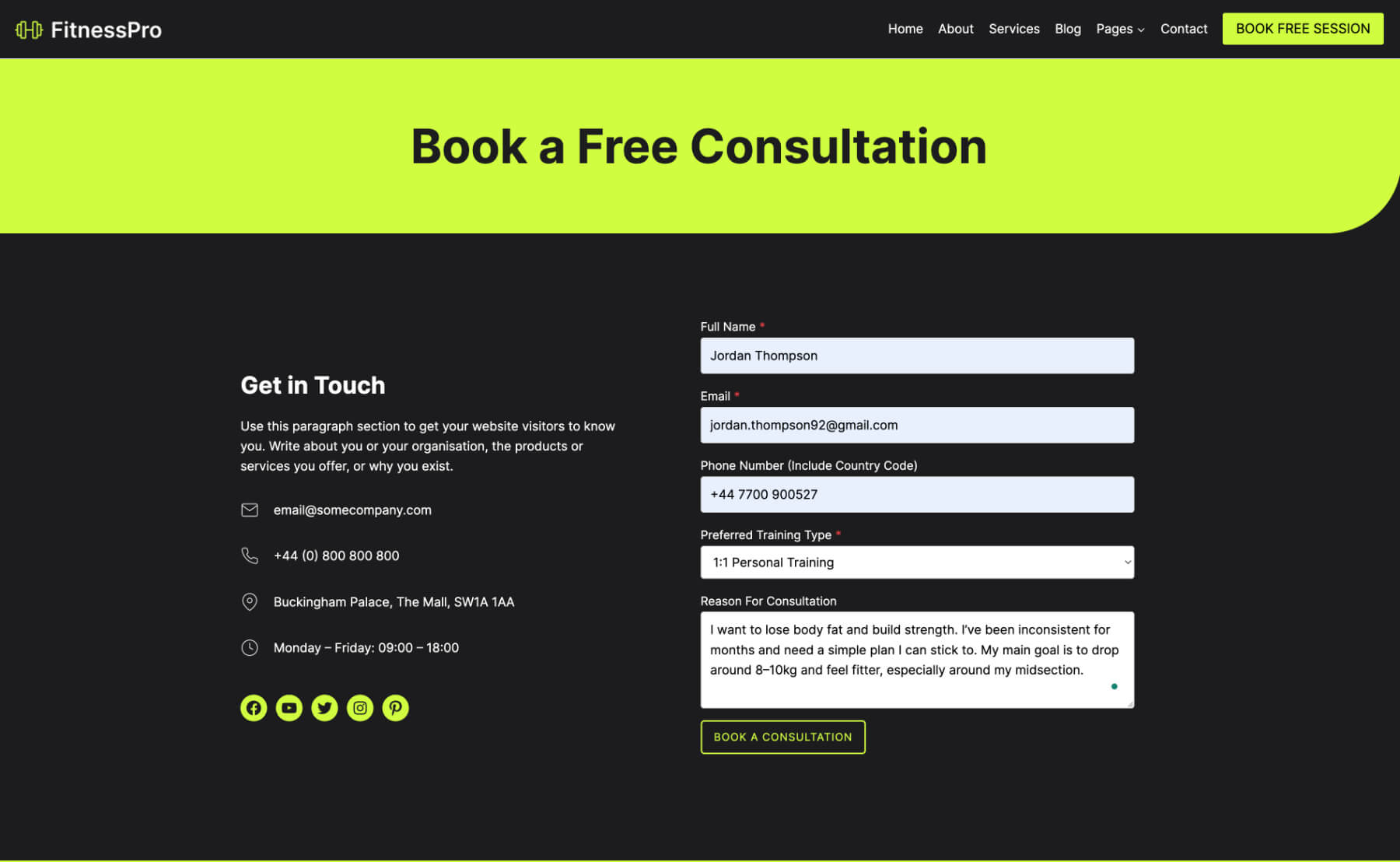
Step 1. Lead form submission
A visitor completes the website form and the lead details are instantly sent into n8n using a webhook.
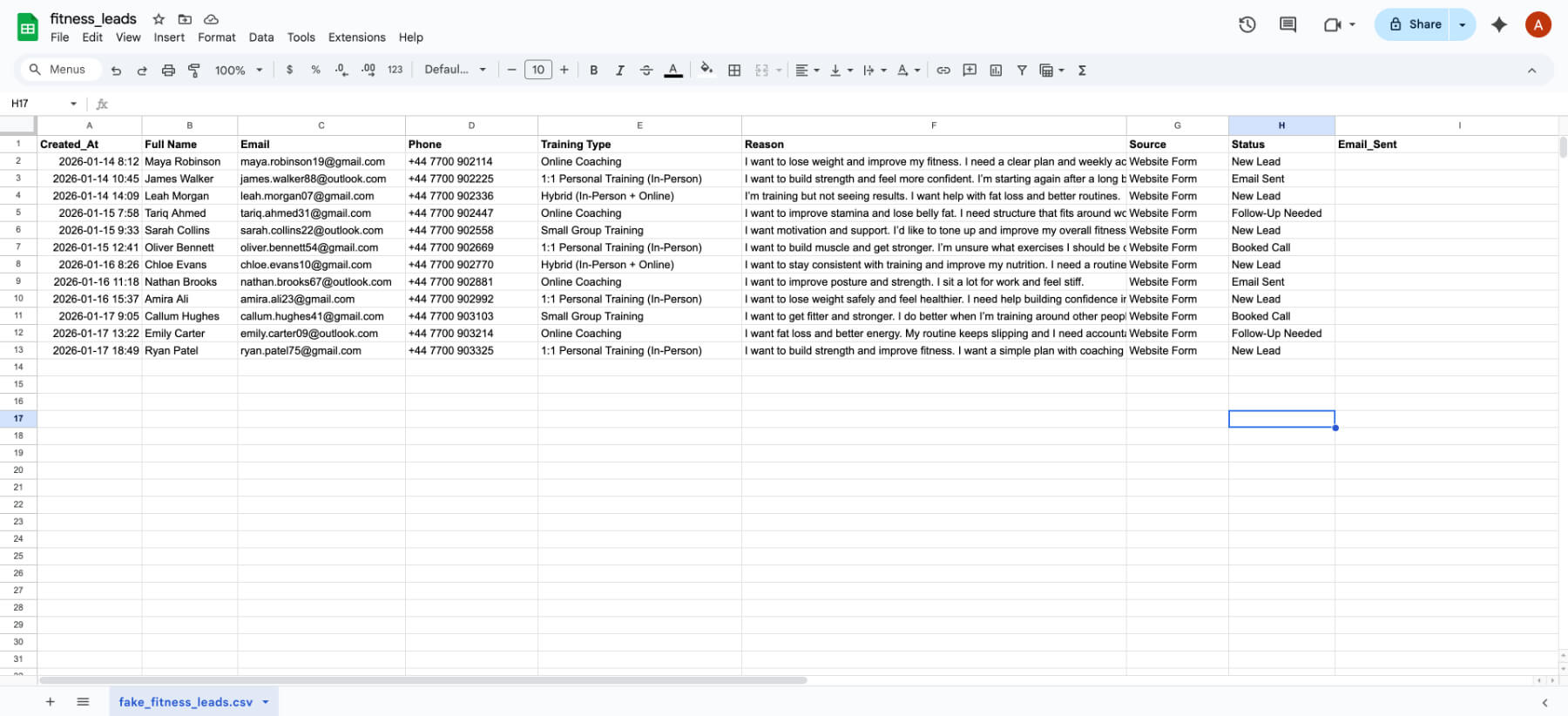
Step 2. Lead saved in Google Sheets
The lead is added as a new row in Google Sheets, creating a simple database that’s easy to track and manage.
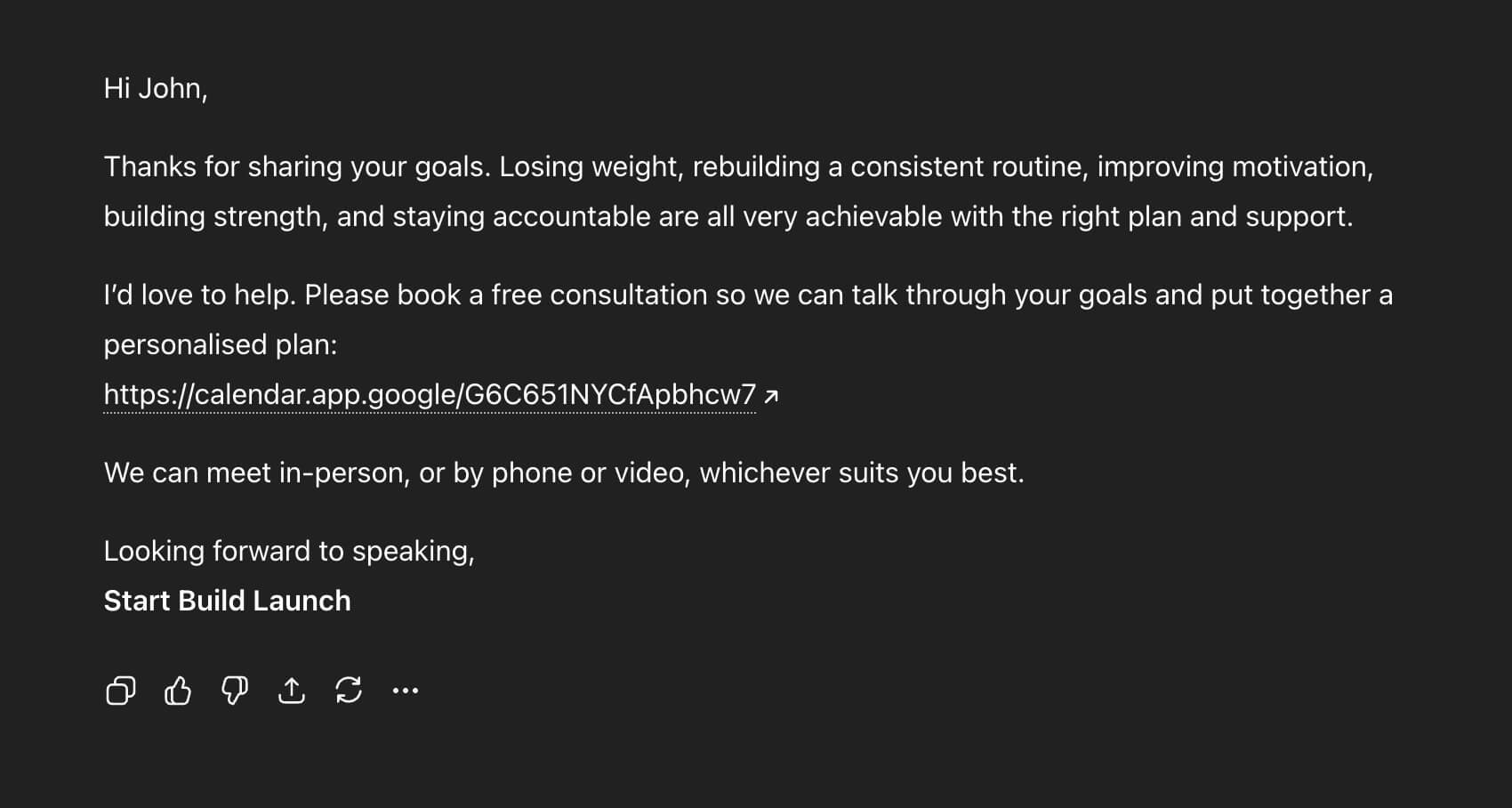
Step 3. OpenAI Generates the Email
OpenAI creates a personalised email reply based on the lead’s enquiry, keeping the response relevant and natural.
Step 4. Email sent instantly
The email is sent automatically to confirm the enquiry and guide the lead toward the next step.
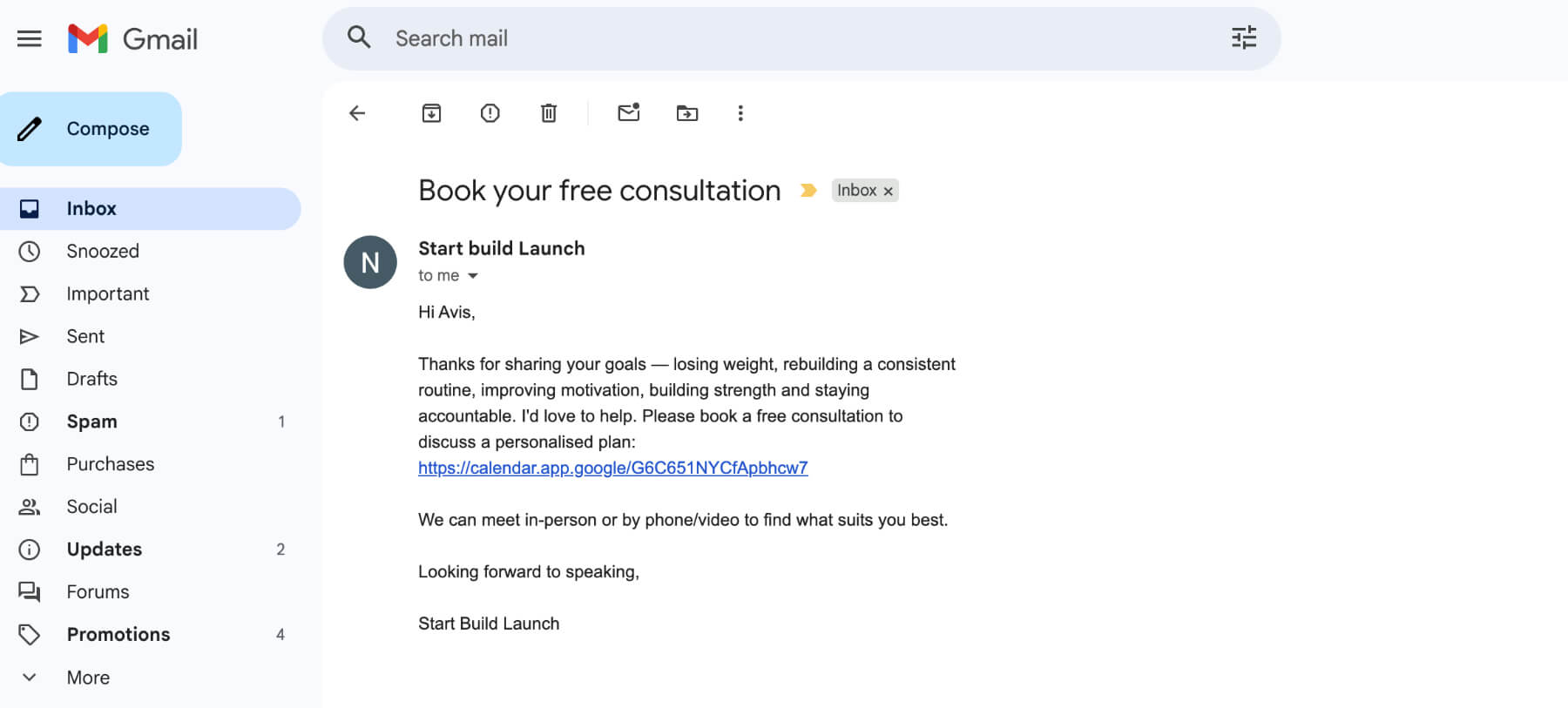
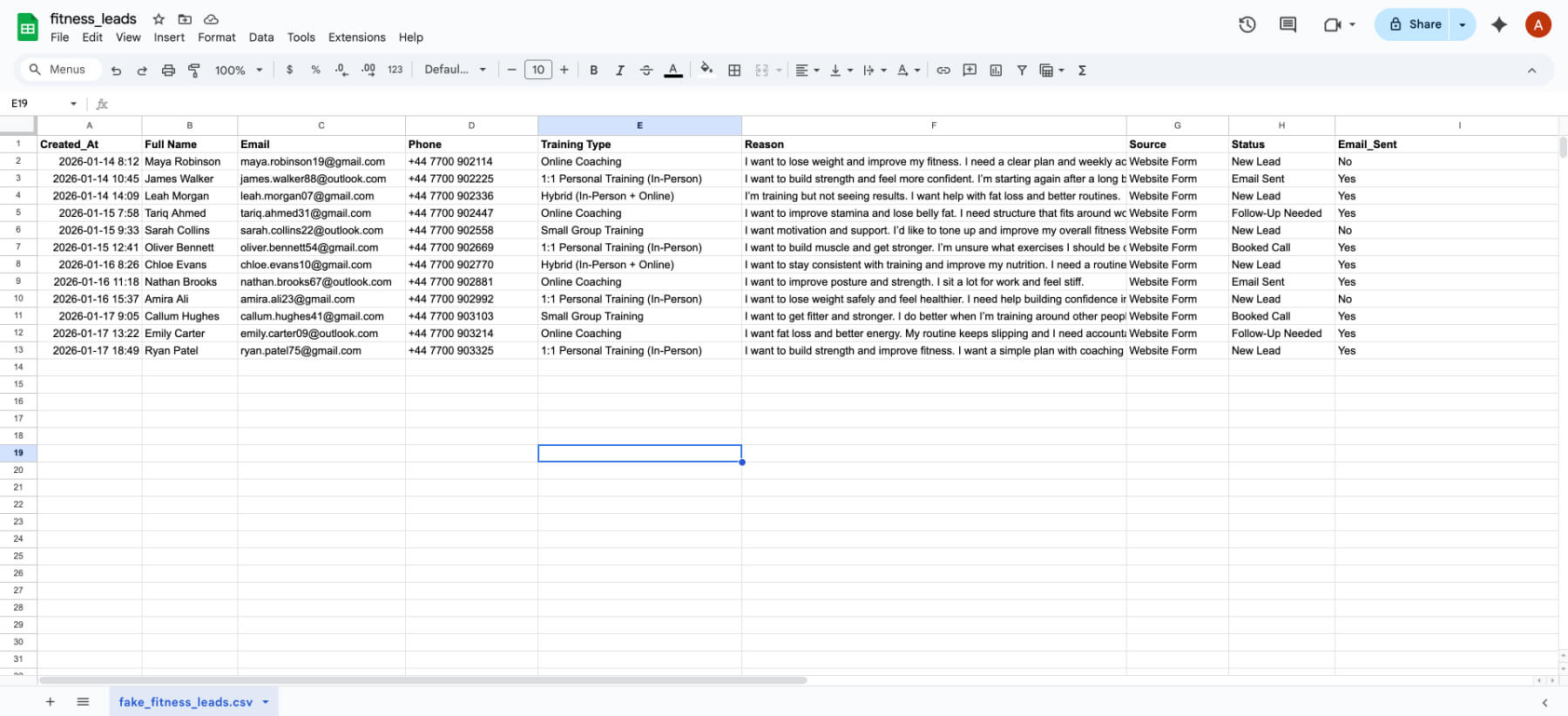
Step 5. Status updated to “Email Sent”
The workflow updates the Google Sheet record to confirm the follow-up was completed, so nothing slips through.
Workflow Demo: Lead Capture and Instant Reply Automation
This demo shows the full process running in real time, from form submission to lead tracking in Google Sheets.
You’ll also see the AI-generated email response being sent instantly, followed by an automatic status update (“Email Sent”).
Want this workflow for your business?
If you want faster follow-up, cleaner lead tracking, and an automated system that responds instantly, I can set this up for you and tailor it to your business.